
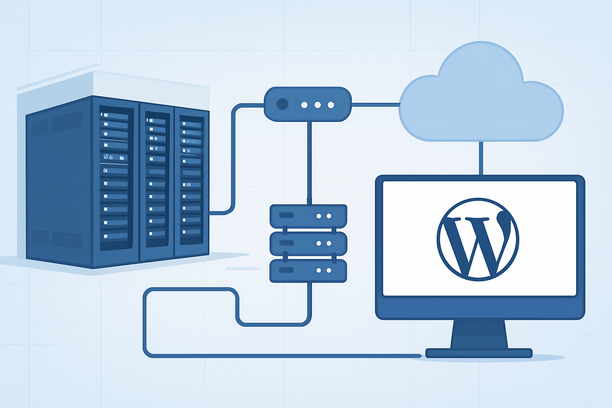
Overview
Maximizing WordPress performance for a US audience demands a systematic, layered strategy that begins with your server's physical location and health, progresses through database and application tuning, and concludes with efficient frontend asset delivery. Neglecting any layer can create a bottleneck that undermines faster network routes or optimized code, leading to high Time to First Byte (TTFB) and poor Core Web Vitals scores.
Why Does Server Location and Physical Health Form the Foundation of Performance?
For US-based visitors, the physical distance between the server and user is the primary determinant of network latency, while server hardware health directly impacts processing speed. A well-optimized WordPress site cannot overcome the fundamental delay of data traveling across the ocean, nor can it compensate for a failing hard drive or memory exhaustion. Therefore, the performance journey must begin with infrastructure.
Hosting your site in a US data center minimizes the round-trip time for data packets, which is crucial for achieving low TTFB—a key metric for both user experience and SEO. Beyond location, the server's components must be in good health. A degraded disk, for instance, will slow every database query and file read operation. Proactive monitoring is essential.
How Can You Ensure Your Server's Foundational Health?
You must regularly check critical system resources like disk integrity, memory usage, and network connectivity to rule out underlying hardware or network issues that plugins and themes cannot fix. A failing disk is a common culprit for sudden performance degradation or crashes. For dedicated servers, built-in tools like Windows Check Disk or Linux smartctl can scan for and repair file system errors and bad sectors. [1]
Similarly, memory pressure forces the system to swap data to disk, drastically slowing down WordPress processes. Use simple commands like free -h on Linux to check available RAM and clear caches if necessary. [2] For network issues between your server and visitors, tools like MTR can trace routes and identify packet loss or high latency points that may be outside your direct control but can be addressed with your provider.
What Are the Key WordPress Core and Database Optimizations?
Once server health is verified, the next layer is optimizing the WordPress application itself. Keeping WordPress core, themes, and plugins updated is not just for security; newer versions often include performance improvements and bug fixes that can reduce overhead.
The WordPress database can accumulate overhead from post revisions, transients, and spam comments. Regularly cleaning and optimizing the database reduces the size and complexity of queries, leading to faster page generation. Plugins like WP-Optimize can automate this process. Additionally, limiting post revisions in your wp-config.php file can prevent database bloat from the start.
How Should You Approach Plugin and Theme Selection for Speed?
Every plugin and theme adds code that must be executed on each page load, so a minimalist approach is key. Choose lightweight, well-coded themes that prioritize speed over excessive features. Avoid multipurpose themes bloated with dozens of scripts and styles you won't use.
For plugins, focus on essential functionality. A caching plugin is non-negotiable; it generates static HTML files to serve visitors without querying the database each time. An image optimization plugin compresses images and converts them to modern formats like WebP. For database-heavy sites, consider a query monitoring plugin to identify slow database calls. Always audit your plugin list and delete any that are deactivated or unused.
What Frontend Optimizations Deliver the Most Impact?
Frontend optimizations reduce the amount of data transferred to the user's browser and how efficiently it is rendered. Minifying CSS and JavaScript files removes unnecessary characters (like whitespace and comments) without altering functionality, reducing file sizes. Combining files can reduce the number of HTTP requests, though this must be weighed against caching benefits.
For US audiences, a Content Delivery Network (CDN) with nodes across the country can serve static assets (images, CSS, JS) from a location closer to the visitor, further reducing latency. Lazy loading for images and iframes ensures that media below the fold is only loaded when the user scrolls to it, improving initial page load speed.
Decision Framework: Optimizing Your WordPress Site for the US Audience
Use this table to assess and prioritize optimizations across the three main layers: server infrastructure, WordPress application, and frontend delivery.
| Optimization Layer | Key Actions | Impact on TTFB | Impact on User-Perceived Speed |
|---|---|---|---|
| Server Infrastructure | Host in a US data center. Check disk health, memory, and network. Implement regular backups. | High (Directly reduces network latency and processing delay) | Moderate (Improves stability and reduces wait time) |
| WordPress Application | Update core, plugins, themes. Optimize database. Use efficient plugins. | Medium (Faster application logic and database responses) | High (Reduces processing time before page is served) |
| Frontend Delivery | Minify/combine assets. Use a CDN. Implement lazy loading. Optimize images. | Low to Medium (CDN can reduce latency for assets) | Very High (Directly improves Largest Contentful Paint and interactivity) |
Full Optimization Audit Checklist
- Verify WordPress is hosted on a server within the United States.
- Check server disk health and memory usage monthly.
- Ensure WordPress core, all themes, and plugins are up to date.
- Schedule regular database optimizations (clean revisions, transients, spam).
- Install and configure a caching plugin.
- Audit plugins; remove any that are inactive or unnecessary.
- Choose a lightweight theme focused on performance.
- Minify CSS and JavaScript files.
- Serve images in WebP format and enable lazy loading.
- Test site speed from multiple US locations using tools like PageSpeed Insights or GTmetrix.
- Consider a CDN with points of presence (PoPs) across the US.
Conclusion and Next Steps
Optimizing WordPress performance for US visitors is a continuous process of addressing constraints at every layer. Begin with the server foundation by ensuring you're hosting in a US data center and proactively monitoring hardware health. Then, refine the WordPress application through updates and database hygiene, and finally, accelerate frontend delivery with asset optimization and a CDN.
If your current server shows signs of resource exhaustion or slow disk performance, it may be time to evaluate your hosting infrastructure. Providers like RakSmart offer US-based hosting solutions with the necessary resources and support to serve as a solid foundation for a high-performance WordPress site. Start by implementing the checklist above to systematically eliminate bottlenecks.
Frequently Asked Questions
How often should I check my server's disk health?
Perform a disk health check at least once a month, and definitely before and after major WordPress updates or traffic spikes. If you notice unexplained slowdowns or errors, an immediate check is warranted. Use the system's built-in tools or consult your provider's documentation for specific steps. [1]
Can a CDN really improve performance for all my US visitors?
A CDN primarily improves performance for users who are geographically distant from your origin server. If your server is already in a central US location, the benefit for domestic visitors is less about distance and more about reducing load on your server by offloading static assets and leveraging CDN caching. It can still provide reliability and performance benefits through edge caching and network optimization.
Is managed WordPress hosting worth the extra cost for performance?
Managed WordPress hosting can be worth it if you lack the technical expertise for server administration or prefer a hands-off approach. These services typically include server-level caching, automatic updates, and performance optimizations tuned for WordPress. However, for full control and potentially lower costs at scale, a VPS or dedicated server with DIY optimization offers more flexibility.
How do I know if my WordPress database needs optimization?
Signs include slow administrative dashboard loading, frequent "MySQL server has gone away" errors, and a generally sluggish site despite good server resources. You can also check the size of your wp_posts and wp_postmeta tables; if they are excessively large (many gigabytes), optimization is overdue. Most database optimization plugins can provide analysis.
What is the single most important server-side setting for WordPress performance?
If we must choose one, it's ensuring your PHP version is up to date. Modern PHP versions (8.0+) offer significant performance improvements and security patches over older versions like PHP 7.x. Combined with adequate server memory, this allows WordPress to execute code faster and handle more concurrent requests efficiently.
— References: [1] Checking the health status of dedicated server disks. RAKsmart Knowledge Base. [2] How to View Memory Usage and Clear Cache in Linux System. RAKsmart Knowledge Base.