
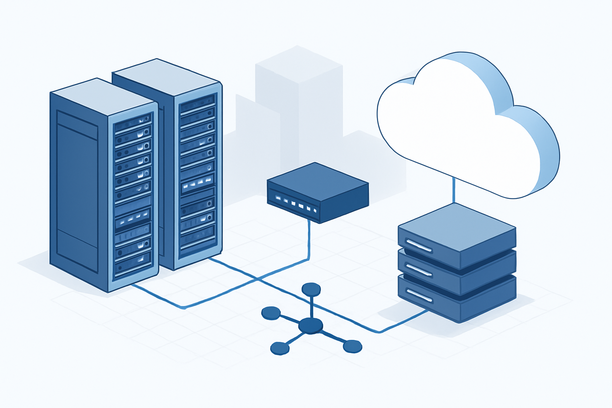
A secure WordPress setup for US websites is a multi-layered defense system, not a single plugin. It begins with a hardened server operating system, progresses through strict WordPress file and database permissions, and is sustained by vigilant monitoring and maintenance. This architecture is essential because US-hosted sites face intense, automated attack traffic targeting known vulnerabilities.
Overview: Why US Websites Demand a Hardened WordPress Foundation
Websites hosted in the United States operate within a high-risk zone. The concentration of e-commerce, financial data, and high-traffic content makes US IP addresses a prime target for brute-force attacks, malware injection, and ransomware. A standard WordPress install is not enough. A secure setup for this environment must prioritize server-level controls before addressing the application layer, ensuring that vulnerabilities are blocked before they ever reach WordPress core files. This guide provides the actionable steps for building that resilient foundation.
What Specific Threats Target US-Hosted WordPress Sites?
US-hosted WordPress sites are primary targets for automated botnets, vulnerability scanners, and ransomware gangs. These attacks exploit the high value of US user data, SEO rankings, and payment information, making a proactive defense non-negotiable.
Attackers scan for outdated plugins, weak admin passwords, and misconfigured servers. A compromised site can be used to host phishing pages, distribute malware to visitors, or send spam emails, all of which destroy search engine rankings and user trust. For businesses, a breach can lead to data loss and legal consequences under regulations like the California Consumer Privacy Act (CCPA).
How Do You Harden the Server Layer First?
The server layer is your first and most critical line of defense. Hardening involves securing the operating system, restricting access, and configuring monitoring tools to detect anomalies early.
Before installing WordPress, secure your server. Start with a minimal OS installation and apply all security updates. Use a firewall like ufw or firewalld to allow only essential traffic: SSH (port 22), HTTP (80), and HTTPS (443). Disable password-based SSH logins and enforce key-based authentication. Create a non-root user for daily administrative tasks.
Continuous monitoring is vital to detect breaches. Tools like atop provide deep visibility into system resource usage, helping you spot abnormal CPU, memory, or network activity that could indicate an attack. You can install it on a CentOS system with yum -y install atop and start it with systemctl start atop. Regular log review becomes a key part of your security posture.
What WordPress Core and File Permissions Must Be Set?
After securing the server, focus on WordPress core. This means setting strict file permissions, securing the configuration file, and enabling automatic updates for minor releases.
The principle of least privilege applies here. Set directories to 755 and files to 644. The wp-config.php file, which holds your database credentials and security keys, should be set to 400 or 440 to prevent web-based access. You can also move wp-config.php to a directory above the web root for added security.
Automate minor WordPress core and security patch updates by adding define( 'WP_AUTO_UPDATE_CORE', 'minor' ); to your wp-config.php. Always test major updates in a staging environment first. Remove default "Hello Dolly" and sample content, and change the default database prefix from wp_ to something unique.
Should You Obscure WordPress Version and Paths?
Yes, adding layers of obscurity can deter automated scripts. You can remove the WordPress version number from your site's header and feeds by adding a function to your theme's functions.php file. While not a standalone solution, this reduces the information available to attackers scanning for specific vulnerable versions.
Which Application-Layer Protections Are Essential?
Essential protections include a Web Application Firewall (WAF), a hardened login process, and a strict plugin policy. These directly defend the WordPress application from common exploits.
A Web Application Firewall (WAF) filters malicious traffic before it hits your server. It can block SQL injection, cross-site scripting (XSS), and known vulnerability exploits. Services like Cloudflare or Sucuri, or plugins like Wordfence, provide effective WAF solutions.
Login security is paramount. Enforce strong, unique passwords and activate Two-Factor Authentication (2FA) for all administrator accounts. Change the default login URL (/wp-login.php) to a custom slug and limit login attempts to thwart brute-force attacks.
Strictly manage plugins and themes. Only install software from the official WordPress repository or trusted developers. Delete all inactive themes and plugins, as abandoned code is a common vulnerability vector.
Choosing a Security Plugin: Key Features to Compare
A good security plugin consolidates many application-layer defenses into one interface. When evaluating options, focus on these critical features:
| Feature | Purpose | Why It's Critical for US Sites |
|---|---|---|
| Web Application Firewall (WAF) | Filters malicious HTTP requests at the application layer. | Blocks high-volume automated attacks targeting known WP exploits. |
| File Integrity Monitoring | Alerts you to unauthorized changes in core files, themes, or plugins. | Detects early signs of a compromise or malware injection. |
| Login Security & 2FA | Secures the admin dashboard with limits, CAPTCHA, and two-factor auth. | Mitigates relentless brute-force attempts common on US IPs. |
| Malware Scanner | Scans files and database for malicious code, backdoors, and spam. | Essential for cleanup and identifying reinfection vectors. |
| Security Hardening | Automates recommended security tweaks (disables file editing, etc.). | Quickly implements baseline security best practices. |
Plugins like Wordfence, Sucuri Security, and iThemes Security are robust choices. The best fit depends on your technical comfort level and site traffic.
How Do You Build a Sustainable Security Maintenance Routine?
Security is ongoing. A maintenance routine ensures your defenses remain effective against evolving threats.
Your routine should include weekly, monthly, and quarterly actions. This systematic approach prevents security drift and catches issues before they escalate.
| Frequency | Action | Purpose |
|---|---|---|
| Weekly | Review security plugin logs for blocked attacks and scan for malware. | Stay aware of attack patterns and potential breaches. |
| Monthly | Update all plugins, themes, and WordPress core. Check user accounts. | Patch known vulnerabilities and remove unauthorized access. |
| Quarterly | Perform a full server and database backup. Review firewall rules. | Ensure recovery capability and optimize security configurations. |
Regularly checking system resources with a tool like atop can also reveal performance issues that might stem from a hidden compromise, such as a crypto-mining script consuming CPU.
Securing Your WordPress Setup: A Practical Checklist
Use this framework to audit and harden your WordPress installation from the ground up.
Server & Access
- Firewall configured (ufw/firewalld), allowing only ports 22, 80, 443.
- SSH root login disabled; key-based authentication enforced.
- Dedicated non-root user created for SSH and admin tasks.
- System monitoring (e.g., atop) installed and active.
WordPress Core & Files
- WordPress installed from official source; default files removed.
- File permissions set (directories: 755, files: 644,
wp-config.php: 400). - Automatic minor updates enabled in
wp-config.php. - Database prefix changed from default
wp_.
Application & Login
- WAF (Cloudflare/Sucuri/Wordfence) active and filtering traffic.
- Two-Factor Authentication (2FA) enabled for all admin accounts.
- Custom login URL configured; login attempts limited.
- Only essential plugins/themes installed from reputable sources.
Ongoing Maintenance
- Security plugin logs reviewed weekly.
- All software updated monthly; inactive components deleted.
- Full backups performed and tested quarterly.
- System resource usage monitored for anomalies.
FAQ: Common Questions on Secure US WordPress Hosting
How does hosting location affect WordPress security for a US audience?
Hosting in the US places your site within a high-traffic zone for cyberattacks, increasing exposure to automated scanning and exploits. However, it also provides lower latency for US visitors, improving user experience and SEO. The trade-off is a need for more rigorous security measures to handle the increased threat level.
Is a free security plugin enough to protect my US-targeted site?
While free plugins like Wordfence offer essential features, a site targeting a US audience with any sensitive data or commercial purpose should consider a premium security suite. Premium plugins typically offer advanced WAF rules, faster malware signature updates, and dedicated support, which are valuable for mitigating sophisticated, targeted attacks.
What is the single most important security step after installing WordPress?
Enforcing strong, unique passwords and enabling Two-Factor Authentication (2FA) for all administrator accounts. This directly counters brute-force attacks, which are the most common method used to compromise WordPress sites hosted in the US.
How often should I update my WordPress plugins and themes?
You should check for and apply updates at least monthly. For critical security patches, apply them as soon as they are released. Using a staging environment to test major updates before deploying them live is a best practice to prevent downtime.
Can a secure hosting environment protect a poorly managed WordPress site?
No. A hardened server provides a secure foundation, but WordPress security is a shared responsibility. Even the best hosting cannot compensate for weak passwords, outdated plugins, or a lack of application-level security controls like a WAF and 2FA.
Conclusion and Next Steps
Building a secure WordPress setup for a US audience is a continuous process of hardening, monitoring, and maintaining layers of defense. It starts with server-level controls and extends into disciplined WordPress application management. By following the structured approach of securing your server, tightening core file permissions, deploying application-layer protections, and committing to a regular maintenance routine, you can create a resilient site that protects both your data and your visitors' trust.
When selecting a foundation for your secure site, consider hosting providers that offer robust server infrastructure and easy access to essential management tools. You can explore hosting options that provide the necessary server control for implementing this layered security strategy by reviewing RAKsmart's WordPress hosting plans.