
If you’ve ever wanted to build a website but felt intimidated by coding or technical jargon, you’ve probably heard people recommend WordPress.
WordPress powers over 40% of all websites worldwide, from personal blogs to business sites and online stores. Despite its popularity, many beginners aren’t quite sure what it actually is — so let’s break it down.
What Is WordPress?
At its core, WordPress is a platform for building websites. It allows you to create and manage a website without writing code. From publishing pages and blog posts to uploading images and customizing layouts, WordPress gives you control over your site in a simple dashboard.
Think of WordPress as the engine of your website — it handles the structure and content, while you focus on the design and message.
A Brief History of WordPress
WordPress started in 2003 as a simple blogging platform. Back then, building a website meant writing HTML, CSS, and PHP by hand — a slow and technical process that required coding skills.
WordPress changed the game by making website creation accessible to everyone, regardless of technical knowledge. Over the years, it has evolved into a full content management system (CMS) capable of running everything from blogs to enterprise websites.
WordPress.com vs WordPress.org
Many beginners get confused between the two versions:
- WordPress.com : Hosted platform, everything is managed for you, but customization is limited unless you pay for higher-tier plans. Good for personal blogs or very small sites.
- WordPress.org : Self-hosted WordPress software. You install it on your own hosting, giving full control over themes, plugins, and performance. Most businesses and professional websites use this version.
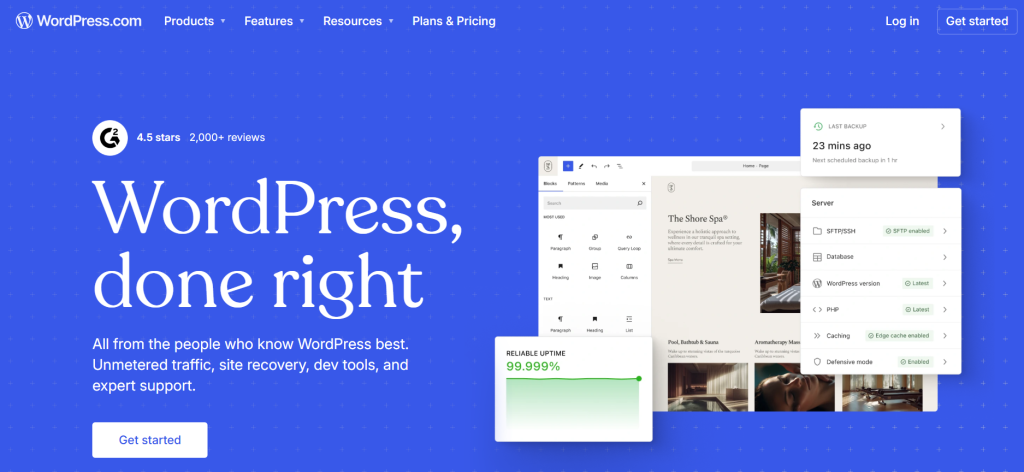
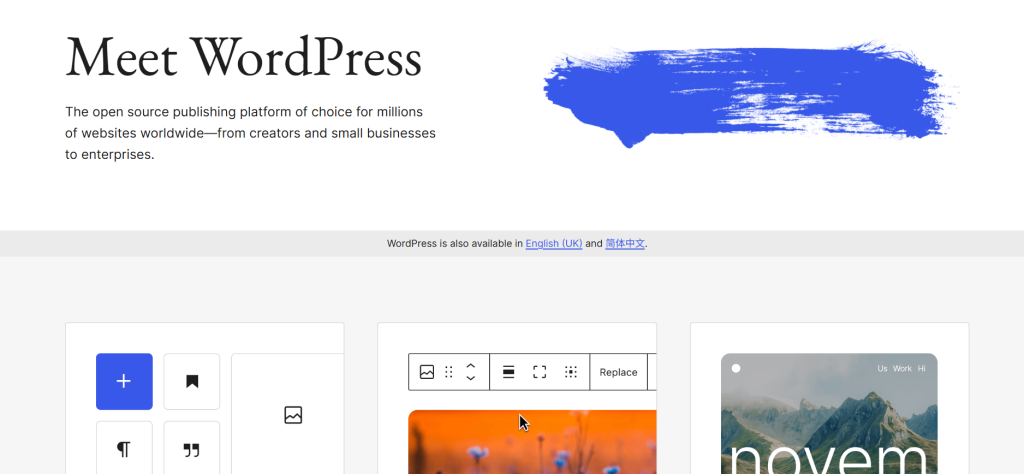
WordPress.com WordPress.org
When people talk about “WordPress for serious projects,” they almost always mean WordPress.org .
How WordPress Works (and why it changed everything)
Before WordPress existed, building a website meant writing HTML, CSS, and PHP manually, which could take days or weeks for even a simple site. Only developers or people with coding knowledge could manage websites effectively.
With WordPress, anyone can now:
- Build and edit pages visually using a dashboard
- Add content and media without touching code
- Install themes and plugins to extend functionality
- Launch a professional website in hours instead of weeks
This made website creation accessible to entrepreneurs, bloggers, and small business owners, allowing them to focus on content and design instead of technical details.
WordPress as a CMS vs Other Website Builders
WordPress is a Content Management System (CMS), which means it’s designed to manage content efficiently, separate from the website design.
Unlike all-in-one website builders (like Wix or Squarespace), WordPress gives you:
- Full control over design and structure
- Freedom to install custom plugins and tools
- The ability to migrate your site to different hosting providers
- Flexibility to grow and scale without starting from scratch
For beginners, this means you can start small and expand as your needs grow.
Themes: How Your WordPress Site Looks
A theme controls the design and layout of your site. WordPress offers thousands of options, but some are more widely used because of flexibility, speed, and ease of customization.
Top 5 popular WordPress themes and typical uses:
- Astra – Lightweight and fast; great for business websites and blogs
- Divi – Drag-and-drop builder; ideal for landing pages and creative agencies
- OceanWP – Highly customizable; e-commerce stores and portfolios
- GeneratePress – Minimalist and performance-focused; small business sites and blogs
- Avada – Multi-purpose; businesses, portfolios, e-commerce
Choosing the right theme depends on your website goals, design preference, and performance needs.
Plugins: Adding Superpowers to WordPress
Plugins add extra features and functionality. WordPress’s versatility comes from its huge plugin ecosystem.
Popular plugin types and uses:
- SEO plugins (Yoast SEO, Rank Math) – Improve search engine rankings
- Security plugins (Wordfence, Sucuri) – Protect from hacks and malware
- Performance plugins (WP Rocket, W3 Total Cache) – Improve site speed
- E-commerce plugins (WooCommerce) – Build online stores
- Forms and lead generation (Contact Form 7, Gravity Forms) – Collect user information
- Backup plugins (UpdraftPlus) – Secure your data
Strategic use of plugins allows your site to do much more than just display content. Overusing or using poorly coded plugins, however, can slow down your site.
What You Can Build With WordPress
WordPress is no longer just for blogs. You can build:
- Personal blogs and portfolios
- Business websites
- Online stores
- Landing pages for marketing campaigns
- Membership sites or forums
- News or content-heavy websites
It works for beginners while also scaling to larger projects.
Common Mistakes Beginners Make
Even with WordPress’s ease of use, beginners sometimes:
- Overload their site with plugins
- Choose poorly optimized themes that slow down the site
- Neglect backups and security measures
- Pick hosting that cannot handle growing traffic
Avoiding these mistakes helps your site stay professional and fast.
Tips for Optimizing Your WordPress Site
To make your WordPress site faster, safer, and more user-friendly:
- Use a lightweight theme optimized for speed
- Limit unnecessary plugins
- Use caching plugins and image optimization
- Keep WordPress, themes, and plugins updated
- Choose a reliable hosting provider
These steps improve performance and user experience while keeping maintenance simple.
Choosing Hosting for WordPress
When building a WordPress site, choosing the right hosting is crucial for speed, stability, and scalability. RAKsmart offers a range of hosting plans designed to support websites of all sizes, with global server nodes, fast uptime, and flexible options. Whether you’re starting small or planning to scale internationally, RAKsmart has solutions to fit your needs.
Common hosting options include:
- VPS Hosting – Ideal for growing websites that need more stability and control [Check Your Hosting] – aff link to VPS page
- Bare Metal Cloud Hosting – Dedicated server performance with cloud-like scalability, ideal for high-traffic WordPress sites. [Check Your Hosting] – aff link to bare metal page
- Dedicated Hosting – For large projects with high traffic and custom requirements [Check Your Hosting] – aff link to Dedicated Server page
A good hosting provider ensures fast load times, stable uptime, and the ability to scale when traffic increases.
Key Takeaways
WordPress made website creation accessible to everyone, removing the need for coding knowledge.
As your website grows:
- Focus on content, design, and functionality
- Optimize your site with themes, plugins, and performance tweaks
- Choose reliable hosting to handle traffic and maintain uptime
A platform like WordPress, combined with a global hosting provider like RAKsmart, allows you to start simple and scale confidently, giving your visitors a seamless, professional experience.
Leave a Reply